


Starlink Mini Kit




Please sign in so that we can notify you about a reply
Starlink Mini Kit – Compact Satellite Internet System
Portable, Powerful, and Perfect for Travel or Remote Work
Technical Specifications:
| Brand | Starlink (by SpaceX) |
| Model | Starlink Mini Kit |
| Internet Speed | Download: 50–100 Mbps / Upload: 5–15 Mbps |
| Latency | 25–50 ms |
| Dish Type | Mini rectangular phased-array antenna |
| Wi-Fi Router | Built-in Wi-Fi 5 router |
| Power Consumption | 20–40W (efficient low-power design) |
| Power Supply | 100–240V AC, USB-C PD support |
| Portability | Fits in a backpack; ideal for mobile users |
| Dimensions | Dish: ~29 × 25 cm | Weight: ~1.1 kg |
| Connectivity | Wi-Fi only (no Ethernet port by default) |
| Setup | App-guided installation via Starlink App |
| Warranty | 1 Year Limited Warranty |


Product Overview
The Starlink Mini Kit is a compact and lightweight satellite internet system, designed for adventurers, nomads, and remote workers. Despite its size, the Mini Kit delivers solid performance with low latency, high mobility, and simple setup, making it ideal for travel or backup connectivity.
Why Choose the Starlink Mini?
- Ultra-portable for mobile work and travel
- Fast setup with Starlink mobile app
- Reliable internet even off the grid
- Ideal as a backup or disaster recovery solution
Order the Starlink Mini from Nexus Computers
How to Set Up and Use the Starlink Mini Kit
- Unbox the Kit
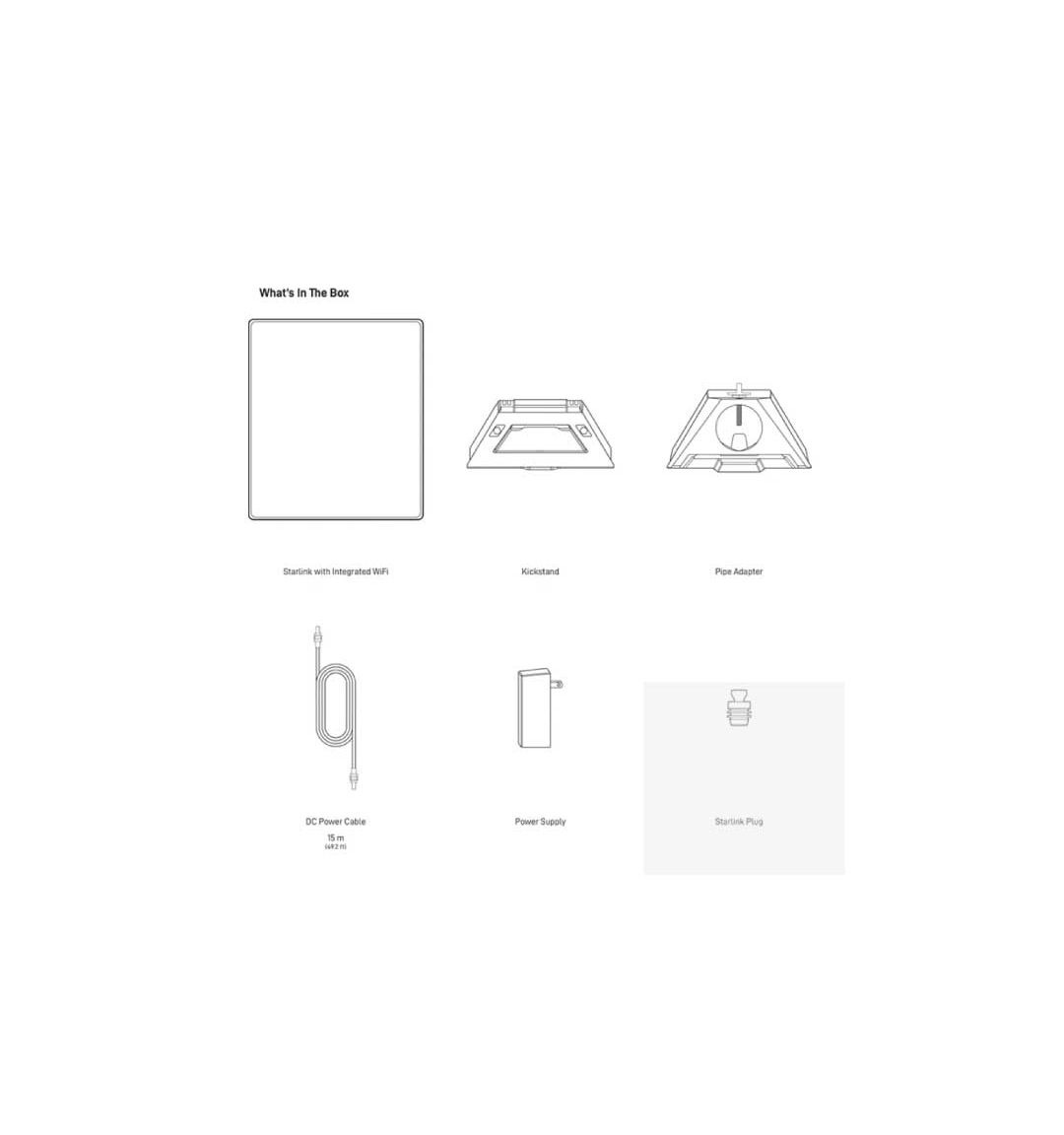
Your Starlink Mini Kit includes:- Mini Starlink Dish (flat, rectangular)
- Built-in Wi-Fi router (integrated with the dish)
- Mounting stand or bracket
- Power adapter with USB-C PD cable
- Quick start guide
- Download the Starlink App
Install the Starlink app from the App Store (iOS) or Google Play (Android). It will guide you through the setup and help position your dish. - Find a Clear View of the Sky
Use the app’s sky scanner feature to identify an area free of tall buildings, trees, or obstructions. Place the dish on the included stand or mount. - Power Up
Connect the dish to the power adapter and plug it into a standard outlet or compatible USB-C PD power bank (at least 100W). The dish will automatically align itself with satellites. - Connect to Wi-Fi
Open Wi-Fi settings on your phone or laptop and connect to the Starlink network. The default network name and password are printed on the device or in the app. - Activate and Test
Follow in-app prompts to activate your kit. Within minutes, you'll have access to Starlink's low-latency, high-speed internet. - Mount for Long-Term Use (Optional)
If using the kit in a fixed location, consider permanently mounting it with included or aftermarket accessories.
Note: The Mini Kit is designed for portability. Always ensure proper ventilation and a dry location during use.
Brand Information:

About Starlink
Starlink, developed by SpaceX, provides satellite internet connectivity using a network of low-Earth orbit satellites. With its global coverage and rapidly evolving technology, Starlink is transforming access to internet across urban, rural, and remote areas alike.
No posts found