


BEST PROCESSOR INTEL VS AMD

Even while some DIY gaming PC fans would say that the graphics card is crucial, your CPU is actually more crucial.
You are left with a very expensive box on your desk without the CPU, which is like the computer's brain.
To ensure that everything runs smoothly, your gaming PC has to have the appropriate CPU.
The new AMD 7000 series CPUs use an AM5 socket rather than the AM4 of the previous 5000 series, therefore you need to be careful not to mix Intel and AMD components as well as incompatible versions.
I've compiled a list of the top gaming CPUs available to assist you select the best one for your build.
To assist you pick the perfect match for your budget and your build, I've also split down their major features like base and boosted clock speeds and core counts.
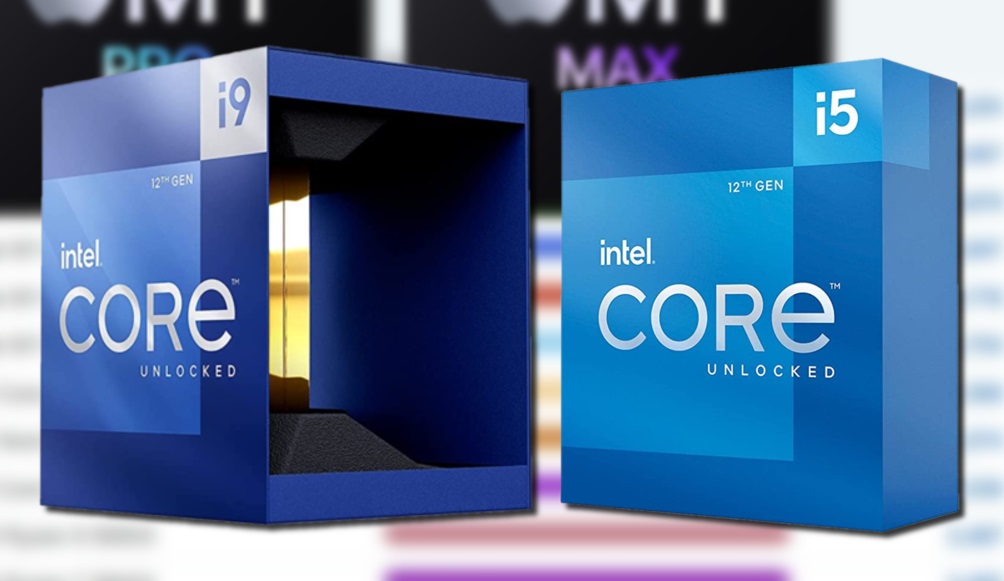
Intel Core i5-12600K
Pros & Cons
Pros
- Decent cache
- Fair pricing
- Excellent overclock ceiling
Cons
- CPU cooler not included
- Lower speeds
- Not compatible with all games
More Details
Launched: 2021 Product collection: 12th Generation CPU type: Desktop Total cores: 10 Total threads: 16 Performance-core max turbo frequency: 4.90 GHz Efficient-core max turbo frequency: 3.60 GHz Performance-core bass frequency: 3.70 GHz Efficient-core base frequency: 2.80 GHz Cache: 20 MB Intel Smart Cache Total L2 Cache: 9.5 MB Processor base power: 125 W Maximum turbo power: 150 W Maximum memory size: 128 GB Processor graphics: Intel UHD Graphics 770 Warranty: Intel offers a three-year limited warranty with the Core i5-12600K
The Intel Core i5-12600K from the 12th generation is an excellent mid-range processor.
Although it is the slowest CPU on our list, it is a cheap alternative with respectable speeds at about 3.70 GHz.
The 10-core CPU has six performance cores and four efficiency cores to combine reliable speeds with quick processing.
It utilizes an LGA 1700 socket and has a three-speed system.
Because of the hyper-threading architecture used in its design, you can rely on this system to run demanding, power-hungry programs and still deliver satisfactory results.
Additionally, it has a trademark turbo boost with updated Intel UHD graphics.
The proprietary Intel 7 Architecture and integrated microarchitecture allow the L3 cache to carry up to 16 MB of data for increased speed.
Intel Core i9-12900K

Pros & Cons
Pros
- High-performing
- Most threads
- Solid cache
Cons
- Requires a lot of power
- Finicky with Windows 10
- Expensive
More Details
Tech specs: Launched: 2021 | Product collection: 12th Generation | CPU type: Desktop | Total cores: 16 | Total threads: 24 | Max turbo frequency: 5.20 GHz | Efficient-core max turbo frequency: 3.90 GHz | Performance-core bass frequency: 5.10 GHz | Performance-core base frequency: 3.90 GHz | Efficient-core base frequency: 3.90 GHz | Cache: 30 MB Intel Smart Cache | Total L2 Cache: 14 MB | Processor base power: 125 W | Maximum turbo power: 241 W | Maximum memory size: 128 GB | Processor graphics: Intel UHD Graphics 770
An LGA 1700 socket is used by the Intel Core i9-12900K, enabling PCB installation.
The 30 MG of memory in the L3 cache is approximately average for the designs on our ranking of the top gaming CPUs for 2022.
The desktop processor in this model is an Intel Core i9-12900K from the 12th generation, with a top clock speed(1) of up to 5.2 GHz.
Thanks to integrated micro-architecture, experience increased power efficiency and higher performance per watt at 10 nm.
Multiple workloads can be sorted and coordinated by the Intel Thread Director, preventing your system from becoming slowed down by internal nitpicking.
There are an incredible 24 threads, spread among 16 performance cores and 8 efficiency cores. . Furthermore, a 600 series(3) motherboard with a 1700 socket and the Intel Smart Cache provide 30 MB of storage.
This can be overclocked and is unlocked
AMD Ryzen 5 5600G

AMD
Pros & Cons
Pros
- Cheapest on our list
- Great graphics
- Radeon-compatible
Cons
- Restricted speed
- Small cache
- Low connectivity
More Details
Tech specs: Launched: 2020 | Product collection: AMD Ryzen Processors | CPU type: Desktop | CPU socket: AM4 | Total cores: 6 | Total threads: 12 | Maximum boost clock: 4.6 GHz | Base clock: 3.7 GHz | Default TDP: 65 W | Processor CPU Technology: TSMC 7nm FinFET | Total L2 Cache: 3 MB | Total L3 Cache: 32 B | Warranty: The AMD Ryzen 5 5600G includes a warranty for parts that lasts three years
Our selection for the best inexpensive CPU for gaming is the AMD Ryzen 5 5600G.
You will receive slower speeds with 4.4 GHz and only a 6 core processor using a 7nm "Zen 3" core due to the lower pricing.
A CPU Socket AM4 has 19 MB of cache storage and 12 threads for 1080P graphics.
It also comes unlocked for clocking with Precious Boost Overdrive to allow better clock speeds and power limits, just like the Ryzen 5 5600X.
There is support for DDR4-3200.
The AMD Ryzen Master is a useful addition that lets you tweak CPU performance for a totally unique experience, but in every other respect, this CPU falls short of competing models in terms of power, speed, and memory.
When you don't have a lot of money to spend, it is a terrific option.
AMD Ryzen 9 5950X

AMD
Pros & Cons
Pros
- Large processor
- Huge cache
- Faster speeds
Cons
- Most expensive on our list
- Stock cooler not included
- Requires a lot of power
More Details
Tech specs: Launched: 2020 | Product collection: AMD Ryzen Processors | CPU type: Desktop | CPU socket: AM4 | Total cores: 16 | Total threads: 32 | Maximum boost clock: 4.9 GHz | Base clock: 3.4 GHz | Default TDP: 105 W | Processor CPU Technology: TSMC 7nm FinFET | Total L2 Cache: 8 MB | Total L3 Cache: 64 MB | Warranty: A three-year warranty is included with the purchase of the AMD Ryzen 9 5950X.
The most costly chip on our list is the AMD Ryzen 9 5950X, which has a lightning-fast 16 core processor.
The CPU runs at 4.9 GHz with a Socket AM4 at its maximum speed.
As a result, it functions with PCIe 4.0 on motherboards like the X570 and B550.
The most by far of our recommendations, it has 16 cores and 32 processing threads to provide AMD's outstanding 100+ FPS performance for today's top games.
The CPU has 72 MB of cache and DDR-3200 capability, and it is unlocked for overclocking.
The cooler, however, is not included and must be purchased separately.
Given how expensive this CPU is already, it is a costly annoyance.
In the event that you don't utilize a conventional Windows-based computer, you can also use this CPU with the Linux Ubuntu operating system.
What is the best gaming CPU?
The Intel Core i5-12600K is currently the finest gaming CPU available.
It features a 3.6GHz base clock speed but can be increased to 4.9GHz for even more performance.
Additionally, it includes integrated graphics, so you can play less graphically demanding games without spending money on a pricey, dedicated GPU.
Gaming CPU |
Price |
Speed (base and OC) |
# of cores |
Intel Core i5-12600K |
Tk.33,500 |
3.7GHz/4.9GHz |
10 |
Intel Core i9-12900K |
Tk.66,000 |
3.2GHz/5.2GHz |
16 |
AMD Ryzen 5 5600G |
Tk.15,300 |
3.9GHz/4.4GHz |
6 |
AMD Ryzen 9 5950X |
Tk.65,500 |
3.4GHz/4.9GHz |
16 |
Which gaming CPU is right for you?
In addition to staying within your budget, it's crucial to ensure that the remainder of your gaming PC is built with compatible components, as AMD and Intel parts do not mix well.
If you want to unlock and overclock your CPU for better performance, it's also crucial to take notice of the base and increased clock speeds.
Buy this gaming CPU... |
If you need... |
Intel Core i5-12600K |
A well-rounded and balanced CPU for gaming |
Intel Core i9-12900K |
A high-end CPU geared towards gaming performance |
AMD Ryzen 5 5600G |
A budget-friendly gaming CPU |
AMD Ryzen 9 5950X |
A performance-focused CPU |
How did we choose these CPUs?
If you do not speak the correct language, purchasing a gaming CPU might be intimidating.
The unique language of CPUs is frequently perplexing to inexperienced users.
These are some of the factors you should take into account while looking for a new CPU for gaming in order to get the best CPU model for your requirements.
- Manufacturer:
Think about the manufacturer of your CPU for more reliability.
Our list is dominated by AMD and Intel, two of the top producers of CPUs.
- Launch date:
Because technology is swiftly and always changing, a newer model
can include features you want.
Of course, the cost to you will be higher as a result.
- Generation: The generation type can provide information about the CPU's programming and processor.
- Core: The number
of CPU cores indicates how quickly a CPU can perform while each
core is processing several instructions simultaneously.
The majority of modern CPUs include several cores for improved performance.
- Clock speed: The clock speed, also referred to as the clock rate or frequency, reveals the number of cycles per second that a CPU can process.
- Overclocking:
You can raise the CPU's clock speed by overclocking.
For instance, one of the most popular methods for overclocking with better performance is the Intel® Performance Maximizer.
- Integrated graphics: Check to see whether
your CPU has integrated graphics for improved images.Especially if
you intend to edit and stream videos, this is crucial.
Examining the PC games you plan to play is an excellent approach to determine which CPU is optimal for gaming in 2022.You can make sure you choose the appropriate CPU for your needs by using the specifications.
What is a CPU?
The CPU can be compared to the computer's brain.
It offers the fundamental framework and power that the rest of your components require in order to do tasks and run programs.
Should I upgrade my CPU or GPU first?
That depends on the problems you're experiencing.
It's time to improve your graphics card if games are running a little slowly or having difficulties starting because that's what manages loading in-game assets.
However, it's generally advisable to acquire a new CPU if your entire PC is running slowly or having difficulties doing simple activi
What's the difference between AMD and Intel CPUs?
Comparable to the distinction between Windows and Mac-based computers is the difference between AMD and Intel components.
Both implement desired outcomes using proprietary programming languages and architecture.
Since they do not cooperate, you cannot get an inexpensive Intel motherboard and an AMD CPU and expect them to run your PC.
The AMD CPU would not only not fit into the motherboard, but it also lacks the programming required to interface with Intel components
Check our PC Part Picker to make sure your new gaming CPU will be compatible with your build and to establish a budget for additional parts. This website is made to assist you in creating a fully compatible build.
Simply choose the components you want to purchase, and the website will check to see whether they are all compatible.
And if there are any issues, it flags them so you can see exactly what has to be changed to for everything to function properly.
What temp should my CPU be while gaming?
When you're playing games, a CPU should typically operate between 142 and 164 degrees Fahrenheit (61 and 73 degrees Celsius).
Depending on the graphical load and outside temperature, your CPU might run a little hotter at times, but it shouldn't harm anything.
You could need to spend money on a bigger cooling fan, thermal paste to help direct extra heat to the CPU's heat-dissipating fins, or even a liquid cooling system if your CPU is operating at a significantly higher temperature.
I strongly advise utilizing one of the many apps available to assist you monitor your CPU temperature so you can identify problems before they damage your gaming setup.
Are there alternative CPUs worth considering?
We found some possibilities when looking for the top gaming CPUs that can be worth your consideration.
These are some of the additional CPUs we took into consideration for the top gaming CPUs of 2022.